
Save
Save recipes from anywhere.
From videos, websites, PDFs and cookbook photos.
Coming soon to iPhone
Save recipes, plan meals, shop and cook.
We’ll email you when Mise launches.
Save
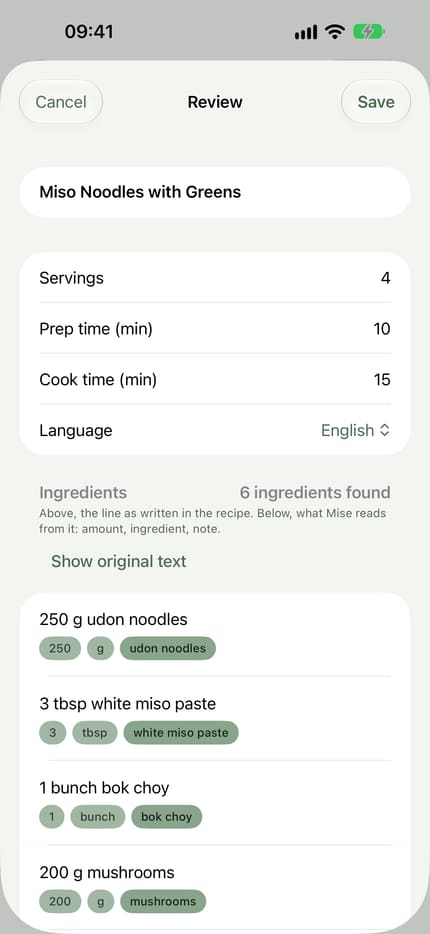
From videos, websites, PDFs and cookbook photos.
Plan
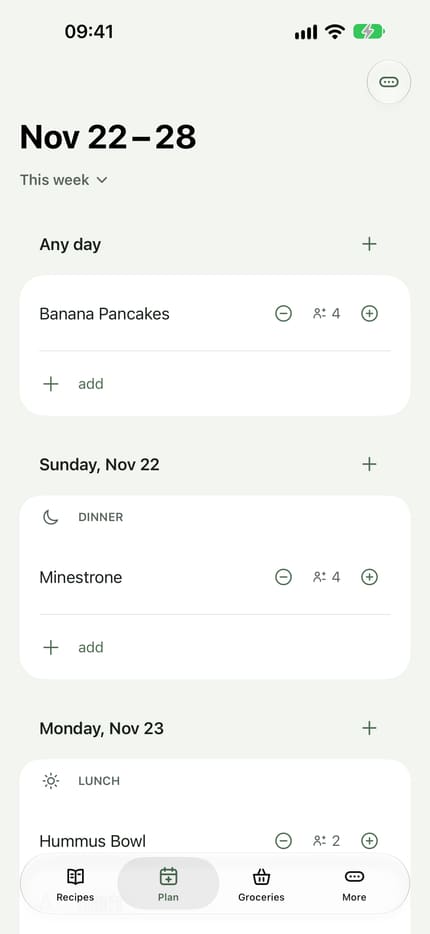
Fill your week with recipes you’ve saved.
Plan
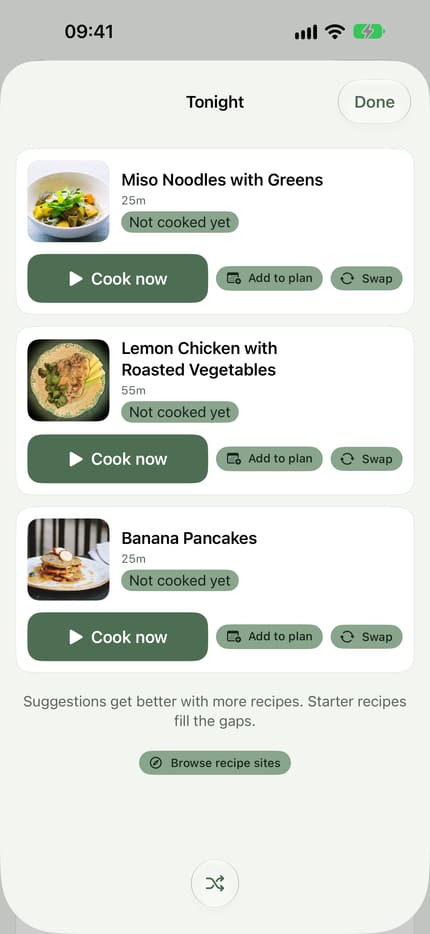
Three ideas from your own recipes.
Shop
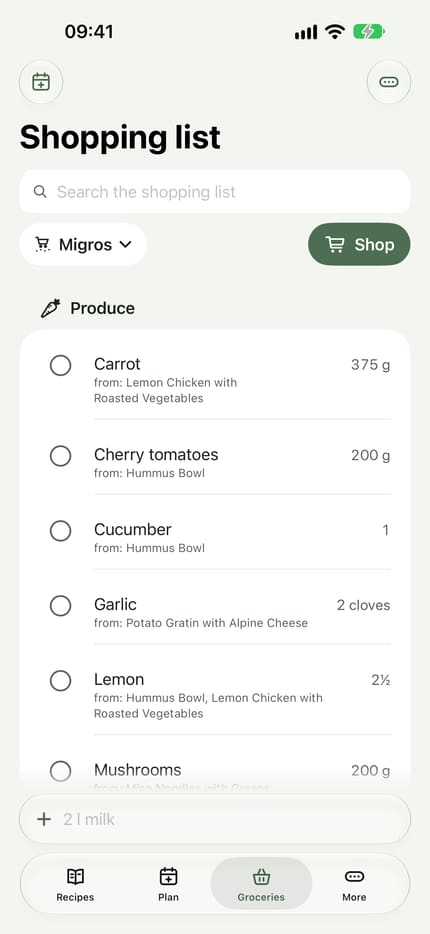
Ingredients sorted by aisle in your store.
Shop
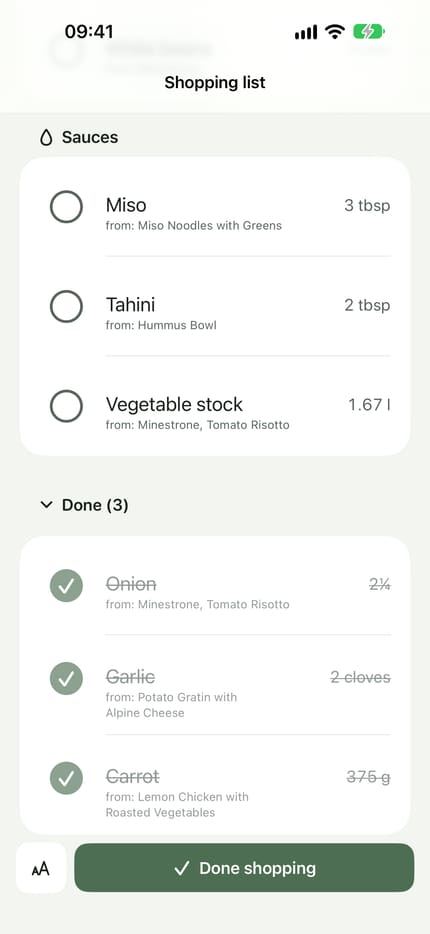
Everyone sees what’s already in the trolley.
Cook
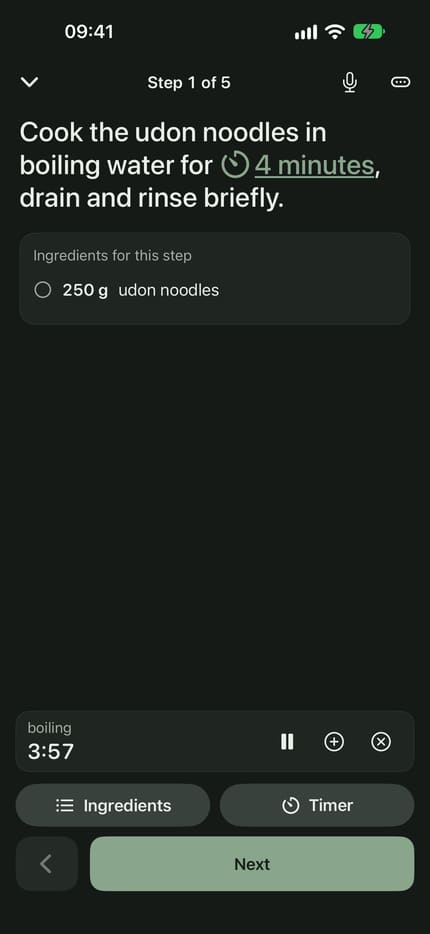
Ingredients and timers right in each step.
Cook
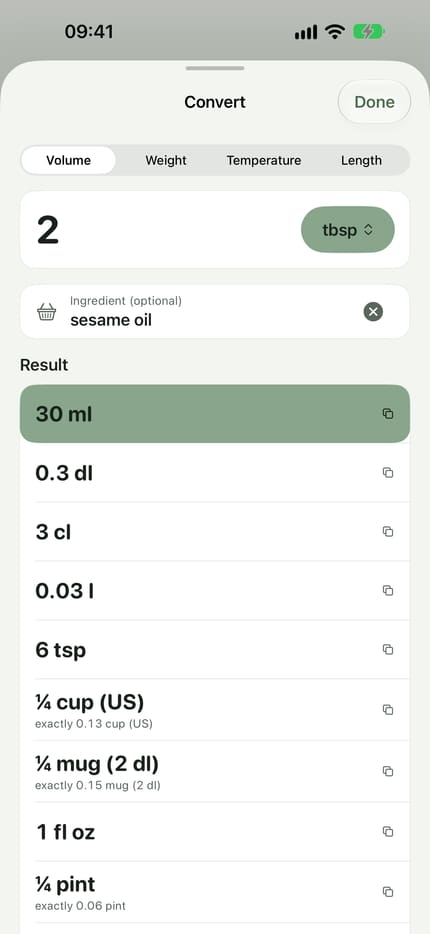
Switch units or scale quantities in a tap.
Cook
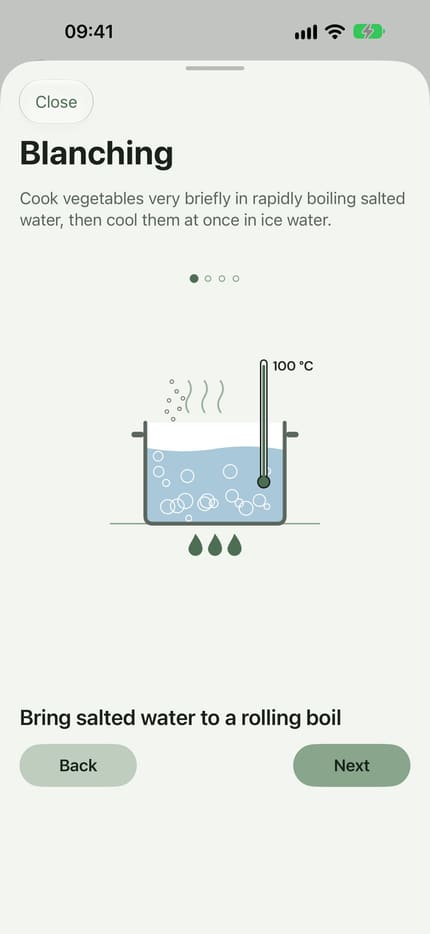
Quick technique tips right in the step.
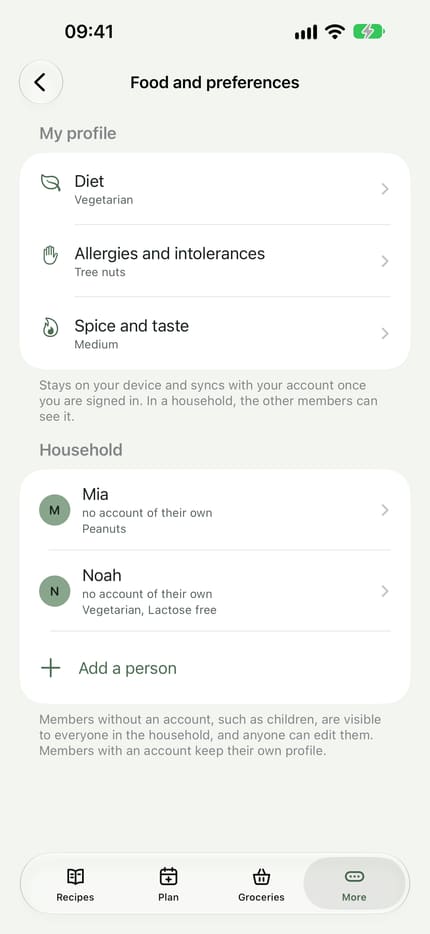
Household
Keep everyone’s food preferences in one place.
Four jobs, one app: save, plan, shop and cook.
Instagram, TikTok, YouTube or any recipe site. Share the link and Mise reads the recipe.
Photograph a cookbook page or a handwritten card, or open a PDF, and Mise turns it into a recipe.
Every import opens for review, and any line Mise was unsure about is marked.
Move over from Paprika, Mela, Crouton, Recipe Keeper or Copy Me That in one go, or paste a list of links.
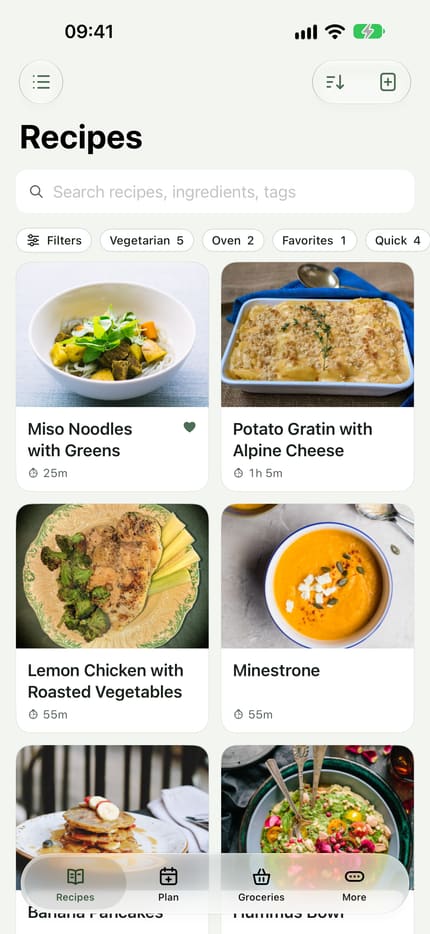
Shelves sort your library for you: favorites, quick dinners, dishes you haven’t cooked yet and the ones you cook often.
Print a recipe or share it as a PDF for the people who like paper.
Lunch and dinner for every day, with how many people are eating.
Stuck on Wednesday? Mise suggests dishes from your library.
Mark a meal as leftovers and it stays off the shopping list.
Make twice as much for tomorrow and the shopping list scales with it.
The week’s ingredients land on one list, with the same items added up.
Mise learns your Migros, Coop, Aldi, Lidl or Denner and sorts the list aisle by aisle.
Everyone at home sees the same list and what has been checked off, within seconds.
Big rows, a screen that stays on, and an undo for the tap you did not mean.
No signal in the store? The list keeps working and syncs later.
Move what was sold out to your next trip, or pin an item to another store.
Shopping together? One tap splits the list by aisle, so you don’t both fetch the milk.
See the next items on the Lock Screen and check them off without opening the app.
Large type, the ingredients for this step beside it, and a screen that stays awake.
Tap the time in a step to start it. Run several at once, on the Lock Screen too.
Grams or cups, two servings or six. The quantities follow.
Say “next”, “repeat” or “how long is left” when your hands are in the dough.
Not sure how to fold or blanch? A short explainer sits right in the step.
Cook a main and a side together. Every timer carries its recipe’s name.
Out of buttermilk? Mise suggests a substitute for any ingredient.
Type or say what is in the fridge and Mise finds matching dishes in your library.
Share recipes, the plan and the list with the people you live with.
German, French, Italian and English, in the app and in the recipes it reads.
A free plan that stays useful, limits stated up front, and export that is always free.
No ads, no selling your data, no notification spam. Only your timers ring.
We’ll email you when Mise launches.